

Published 25 October 2026 · By JonsTech
Why Social Media Posts Need Platform-Specific Formatting
A post that suits one social network may not fit another. Learn what to check before cross-posting, how to adapt the format and caption, and how WooshOut’s composer helps you review each destination.
Before publishing one post to several networks, check each destination’s media type, image or video limits, account requirements and available settings. Then adapt the caption where it needs to change. A video, image carousel or text post that works for one account may not be a suitable format for another. Selecting several destinations does not automatically make the post compatible with all of them.
That does not mean you need to create every post from scratch. A better approach is to reuse the core idea or media, then make deliberate adjustments for each network. WooshOut’s composer lets you select destinations, preview platform-specific versions and review compatibility indicators before you publish or schedule. Its workflow describes the indicators as ready, warning or blocked, while noting that a check cannot guarantee a provider will accept a post. See the WooshOut publishing workflow.
Start with the format, not the publish button
The same announcement can become a video, a set of images or a short text update. Those are different post types, not interchangeable versions of one file. For example, WooshOut supports video uploads to YouTube, but not text-only or image posts there. Instagram destinations can be Reels or image feed posts; Facebook publishing goes to an authorised Page and supports Reels, image posts and text posts. TikTok supports video and photo publishing, though some photo posts may need to be completed in TikTok rather than published directly. The exact choice depends on the account, selected mode and available provider permissions.
These differences are part of the platforms’ publishing rules, not merely stylistic preferences. TikTok’s developer documentation, for instance, describes separate video and photo posting flows and account-dependent requirements. YouTube’s upload API is built around video uploads. Check the current rules for the account and format you plan to use, and treat the composer’s compatibility review as a useful pre-publish check rather than a substitute for those rules. TikTok’s Content Posting documentation and YouTube’s video upload documentation explain their respective publishing flows.
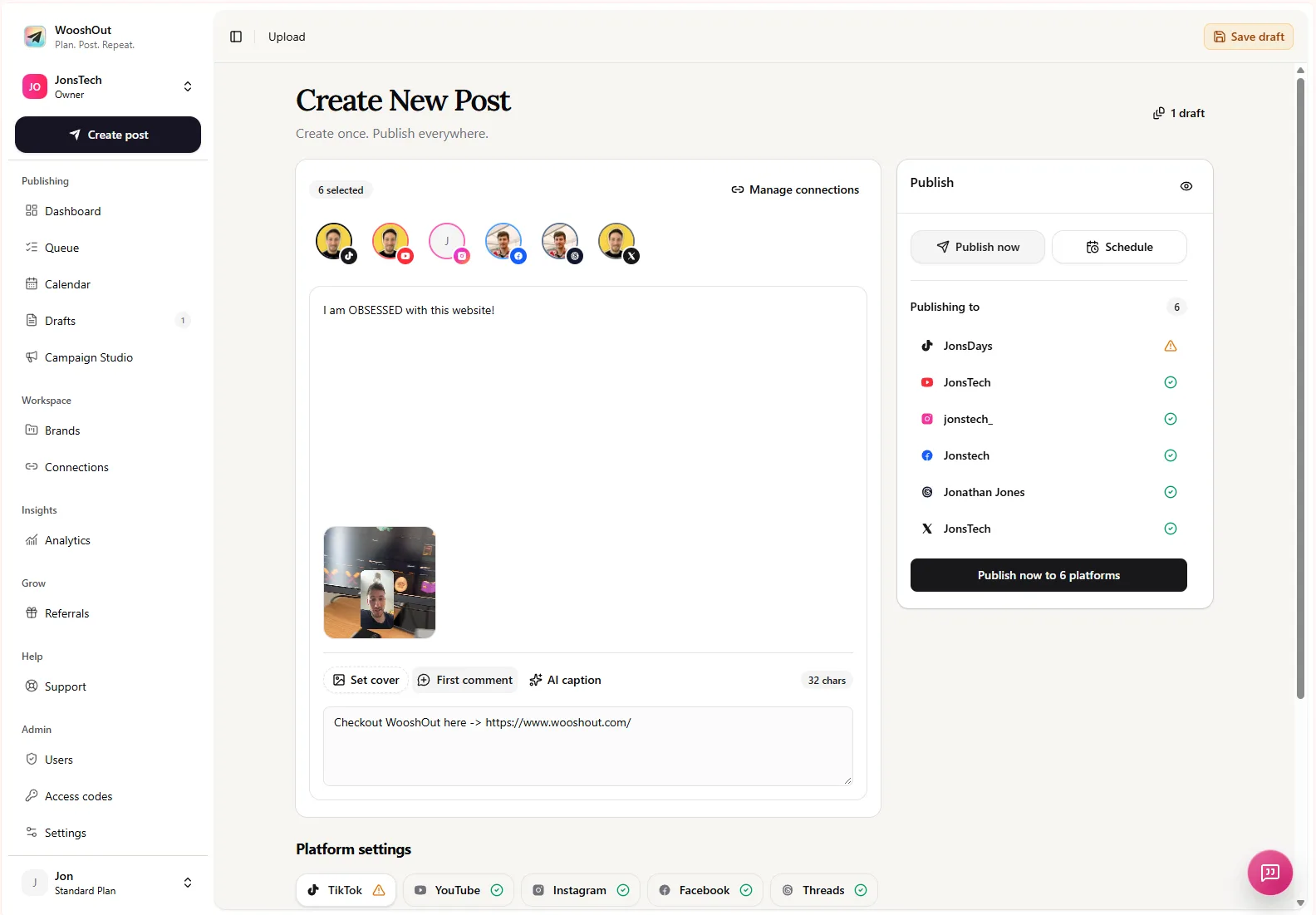
In the composer, you can see the shared post alongside selected accounts, a media preview and platform settings. Use that view to check what you are actually preparing for each destination, rather than assuming a single upload will be right everywhere.
A practical example: one product update, several versions
Imagine an indie developer announcing a new feature with a short screen-recording demo. The video is the source asset, but the publishing plan still needs a destination-by-destination review. The developer might prepare a video version for YouTube, adapt it as a Reel for Instagram, and use a suitable video post for TikTok or X. If they also want a Facebook text update, that needs text rather than the demo video. These are possible preparations, not a claim that any particular combination has passed a live compatibility check.
Now suppose the developer wants to share screenshots instead. That changes the plan: YouTube is not an image-post destination in WooshOut, while image posts are available on several other supported networks. Even where images are supported, the acceptable image count and settings can differ. The sensible move is to keep the same announcement and approved screenshots, but select only suitable destinations and review the image order, preview and any platform-specific options.
What to adapt beyond the media
Even when the same media can travel across several networks, the copy may need a little work. A caption written to introduce a video could feel incomplete beside a screenshot. A message that relies on context from another platform may not make sense on its own. And a call to action that fits one audience or format might be awkward in another.
WooshOut supports a shared caption as a starting point, with editable per-platform captions and supported first-comment settings. You can also add platform-specific details where available, such as YouTube descriptions and tags. Keep the main point consistent, then adjust the opening line, amount of context and call to action for the destination. For a closer look at this workflow, read how to schedule posts with different captions per platform.
How to review compatibility in WooshOut
In Create post, add your media or write a text post, select the accounts you want, and inspect the platform versions and settings. WooshOut displays compatibility as ready, warning or blocked when it identifies an issue. A warning is a reason to read the details and decide what to change; it is not a guarantee that publishing will fail. A blocked destination needs attention before you proceed.
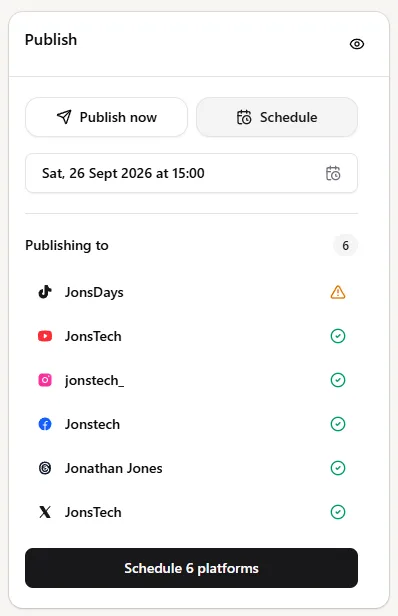
The publishing panel shown here lists several selected accounts, with one marked by a warning. That is why it pays to inspect each destination rather than treating the overall selection as a blanket approval. You can adjust the post or settings, remove a destination that is not a good fit, or review a connection that needs attention before scheduling.
A quick pre-publish check
Confirm the post type each destination supports: video, image or text.
Check the media against the limits shown for that workflow, including duration, file size and image count where relevant.
Make sure the connected account meets the destination’s requirements. For example, Facebook publishing is to an authorised Page, and Instagram publishing requires a compatible professional account.
Review platform-specific captions, settings and previews. Change the destination selection if the format is not suitable.
Read every ready, warning or blocked status before saving a draft, publishing now or scheduling.
Compatibility checks can catch known problems before a post enters the publishing queue, but provider rules, account permissions and API behaviour can change. A destination marked ready is not a promise of delivery. If one platform later reports a failure, WooshOut keeps destination outcomes separate so you can see what needs attention without losing track of the other results.
Reuse the idea, not every setting
Cross-posting works best when you treat one source post as a starting point. Keep the announcement or central message, then make the media, caption and settings fit each selected network. That way you avoid rebuilding every publishing job from scratch without assuming identical versions will always work. WooshOut brings those versions and checks into one composer; the final decision about where each post belongs stays with you.
To see the steps from account connection through publishing and status review, visit the WooshOut workflow guide.