

Published 8 October 2026 · By JonsTech
Turn Customer FAQs into Social Media Posts That Help
A practical workflow for turning real customer questions into clear, useful social posts, with an illustrative example and a review-first Campaign Studio process.
Recurring customer questions can make useful social posts when you answer them plainly instead of dressing each one up as a product pitch. Group real FAQs by theme, choose one question, give a direct answer and a practical example, then use WooshOut’s Campaign Studio to create editable text-post starting points from your product description and brief. You supply the questions and check every draft: WooshOut does not automatically pull FAQs from support tickets.
The point is not to turn your help centre into an advert stream. It is to make good answers easier to find, share and understand. A useful post might resolve a small frustration even if the reader never signs up.
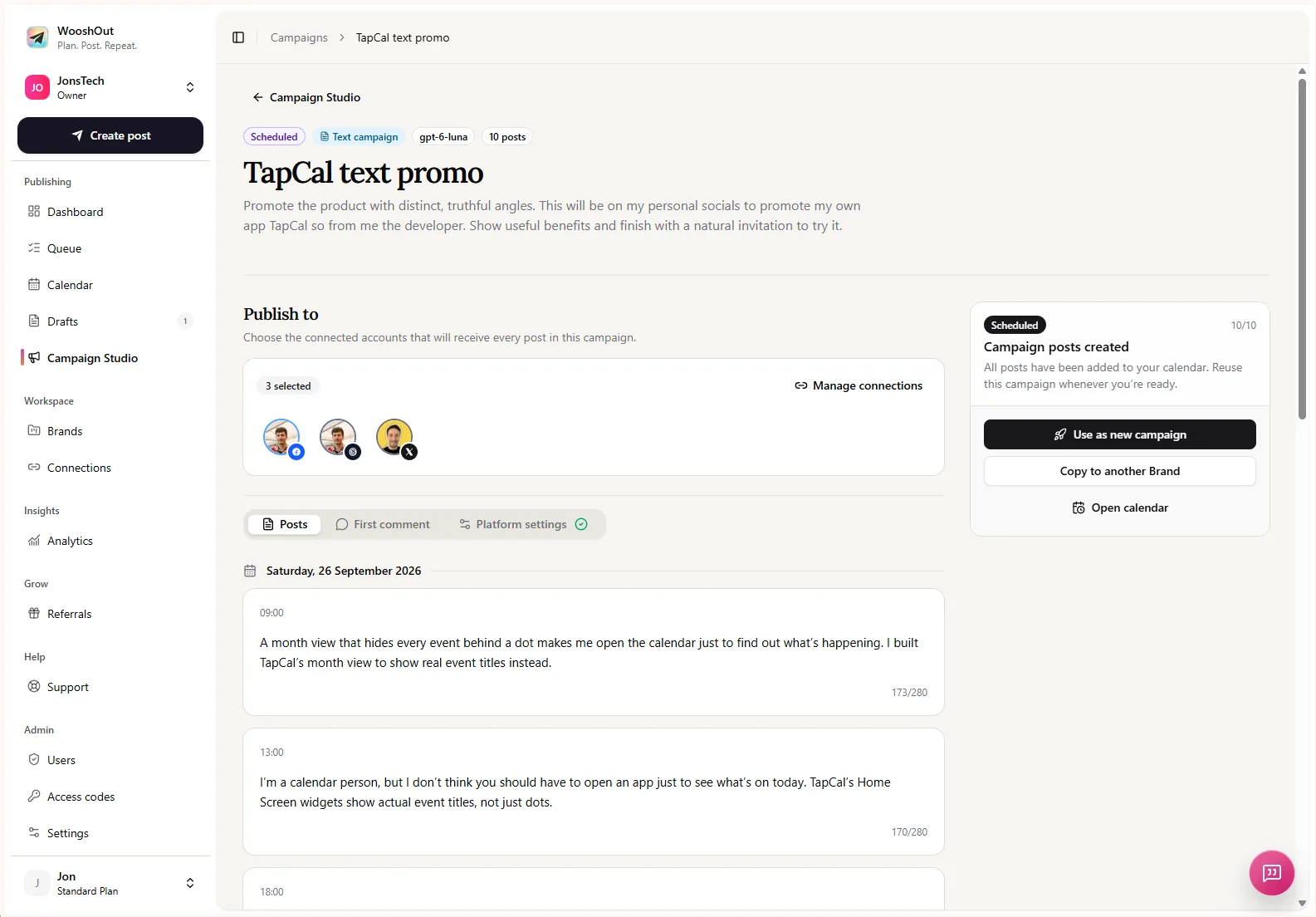
This Campaign Studio screen shows a text campaign ready for review, with editable posts and publishing accounts. It illustrates the workflow, not a campaign generated from the example FAQ below.
Start with the questions people really ask
Pull candidate questions from places your team already reviews: support conversations, sales calls, onboarding notes, community discussions or product feedback. Remove names, account details and other identifying information before turning anything into public content. Look for recurring themes rather than treating every message as a separate post idea.
For a SaaS product, themes might include setup, pricing, integrations, security, common errors and choosing between features. Keep a small working list with the question, the accurate answer, any useful example and a note about what you should not disclose. If an answer depends on a plan, version or individual account, make that clear rather than presenting it as universal.
Build one post around one question
Choose one question for each post. Open with the question or the problem behind it, answer in ordinary language, and add a short example that helps someone apply the answer. If a reader needs a guide or support article for the full detail, point them there. Keep the product mention proportionate: name a feature when it explains the solution, not just to fit in a sales line.
A useful check is whether the post still helps someone who is not ready to buy. If the answer is mostly a slogan, or the question has disappeared beneath a list of features, rewrite it. A clear answer builds trust more naturally than a forced call to action.
Worked example: answer before you promote
Here is an illustrative, anonymised example, not a WooshOut customer story. Imagine an invoicing app’s support team often hears: “Can I schedule a payment reminder instead of sending it straight away?” Suppose the verified answer for this fictional product is yes: users can choose a future date and time before sending.
A helpful source answer could be: “Yes. When you prepare a reminder, choose a send date and time rather than sending it immediately. For example, if an invoice is due on Friday, you could set a reminder for the following Monday. Check the invoice details before scheduling.” The example makes the answer concrete; the final instruction gives the reader a sensible action without pushing a sale.
From that verified answer, an editor might shape different posts such as:
“Can you schedule a payment reminder? Yes. Choose its send date and time before you finish. That gives you a way to plan a follow-up instead of remembering to send it later.”
“An invoice is due on Friday. When should the reminder go out? If your process calls for a follow-up after the due date, you can schedule one for Monday. Check the invoice first, then choose the time that suits your workflow.”
“A scheduled reminder is not the same as an automatic payment. It lets you choose when to send a follow-up. Review the recipient and invoice details before setting the send time.”
These are editorial starting points, not three claims to publish without checking. The team behind the fictional app would need to confirm that the feature works as described, that the example matches its actual workflow, and that the wording does not suggest the app collects payments automatically. A good FAQ post clarifies the product as well as the answer.
Use Campaign Studio for editable starting points
Once you have a checked set of questions and answers, prepare a concise product description and campaign brief. Include the audience, the themes to cover, the tone to aim for and any claims or language to avoid. Then give Campaign Studio the source material it needs and ask for a series of distinct educational posts, with one FAQ angle per post.
WooshOut’s text campaigns create editable post drafts for Facebook, Threads and X. You choose the connected destinations after reviewing the campaign. AI can help turn your brief into starting points, but it cannot verify your product’s current behaviour or know which support details are safe to share unless you provide that context.
Review each draft against the original answer. Correct inaccurate steps, remove invented details, vary repetitive openings and cut promotional language that does not help explain the answer. Check names, dates, plan restrictions and product behaviour with the people responsible for them. Delete drafts that add no distinct value; there is no need to publish every generated idea.
Keep a series useful, not repetitive
A batch works best when its posts answer different questions, not when one answer is rephrased several times. Mix practical explanations with examples, troubleshooting tips and occasional context about why a feature works the way it does. You can also leave space between posts so the series feels like a steady resource rather than a burst of product promotion.
Before scheduling, choose the connected accounts that fit the post and check how the copy reads in context. A concise answer may work across several text destinations, but it should still sound natural on each one. Once the campaign is approved, schedule its posts and use the calendar or queue to see what is due and follow publishing outcomes.
For more help shaping a product brief into a learning series, read how to create a SaaS educational content series. When the questions are collected, the answers checked and the drafts edited, Campaign Studio can help move that approved series into your publishing plan.