

Published 8 November 2026 · By JonsTech
How to Plan a Social Media Launch for a SaaS in a New Market
A practical plan for adapting a SaaS launch to a new audience: research local problems, prepare a reviewed content batch and schedule platform-ready posts.
To introduce an existing SaaS product to a new country or audience, start with the problems that audience actually faces, not the launch copy that worked somewhere else. Then adapt the examples and captions for each channel, prepare a small batch of posts, review every draft and schedule the approved content. WooshOut can help with the batch-and-schedule part through Campaign Studio, but it does not research a market or localise your message for you.
That distinction matters. A product feature may be the same everywhere, but the reasons people care about it, the words they use and the proof they expect can differ. Treat a new-market launch as a fresh conversation about a familiar product, rather than a copy-and-paste exercise.
1. Find the audience’s specific problem
Before writing posts, define who you are trying to reach and what you believe they need. Avoid treating a whole country as one audience. A SaaS founder might be speaking to independent consultants, small retailers or product teams, each with a different reason to consider the same tool.
Write down a few concrete prompts: What task is frustrating this group? What do they use now? Which product capability would help, and what could make them hesitate? Use evidence you can actually access, such as support questions, customer interviews, sales conversations or search terms. If you do not yet have local customer feedback, mark your assumptions as assumptions and make the first posts easy to learn from.
For example, imagine a scheduling app entering a new market. A weak starting point is “Our app is now available here.” A more useful campaign might address a particular audience’s difficulty keeping appointments, coordinating across time zones or remembering recurring tasks. Those are hypothetical angles, not evidence that people in any specific market have those problems. Validate the angle before building a campaign around it.
2. Turn the insight into a few useful messages
A launch batch does not need to say everything about your product. Choose a small set of messages with different jobs: name a problem, show how a feature helps, answer a likely objection and give readers a clear next step. A short series is easier to check for consistency than a large pile of posts generated in one go.
Problem: describe a recognisable task or point of friction.
Product: show one capability in the context of that task.
Proof: use a real demo, product screenshot or verified customer evidence. Do not invent testimonials or results.
Next step: invite people to try, read, sign up or ask a question, using a call to action that fits your launch.
Keep the core product facts consistent, but write examples that make sense to the intended audience. Check spelling, terminology, date and currency formats, cultural references, claims about availability and any legal or pricing details. If you need translation, have a fluent person review it; do not assume AI-generated copy has been translated or localised just because you entered a market name.
3. Match the idea to the platform
A useful message can travel across channels, but it rarely needs to appear in exactly the same form everywhere. A concise text post may suit one destination; a product screenshot with a clear headline may help explain a workflow elsewhere. Adjust the opening, length, visual and call to action to fit the post and the people likely to see it.
WooshOut’s Campaign Studio supports editable text campaigns for Facebook, Threads and X, and image carousels made from product screenshots. The carousel templates combine selected screenshots with headlines and styling; they are not a way to generate original product artwork from a text prompt. For current platform formats and workflow details, see the WooshOut feature overview.
Suppose the hypothetical scheduling app has a genuine feature for managing recurring appointments. A text post could explain the problem and invite readers to see the feature in action. A screenshot carousel could show the relevant steps, with each slide adding one piece of context. The caption still needs a human decision: which example is appropriate, what wording sounds natural and whether the destination is right for that post.
4. Build a small batch, then review it properly
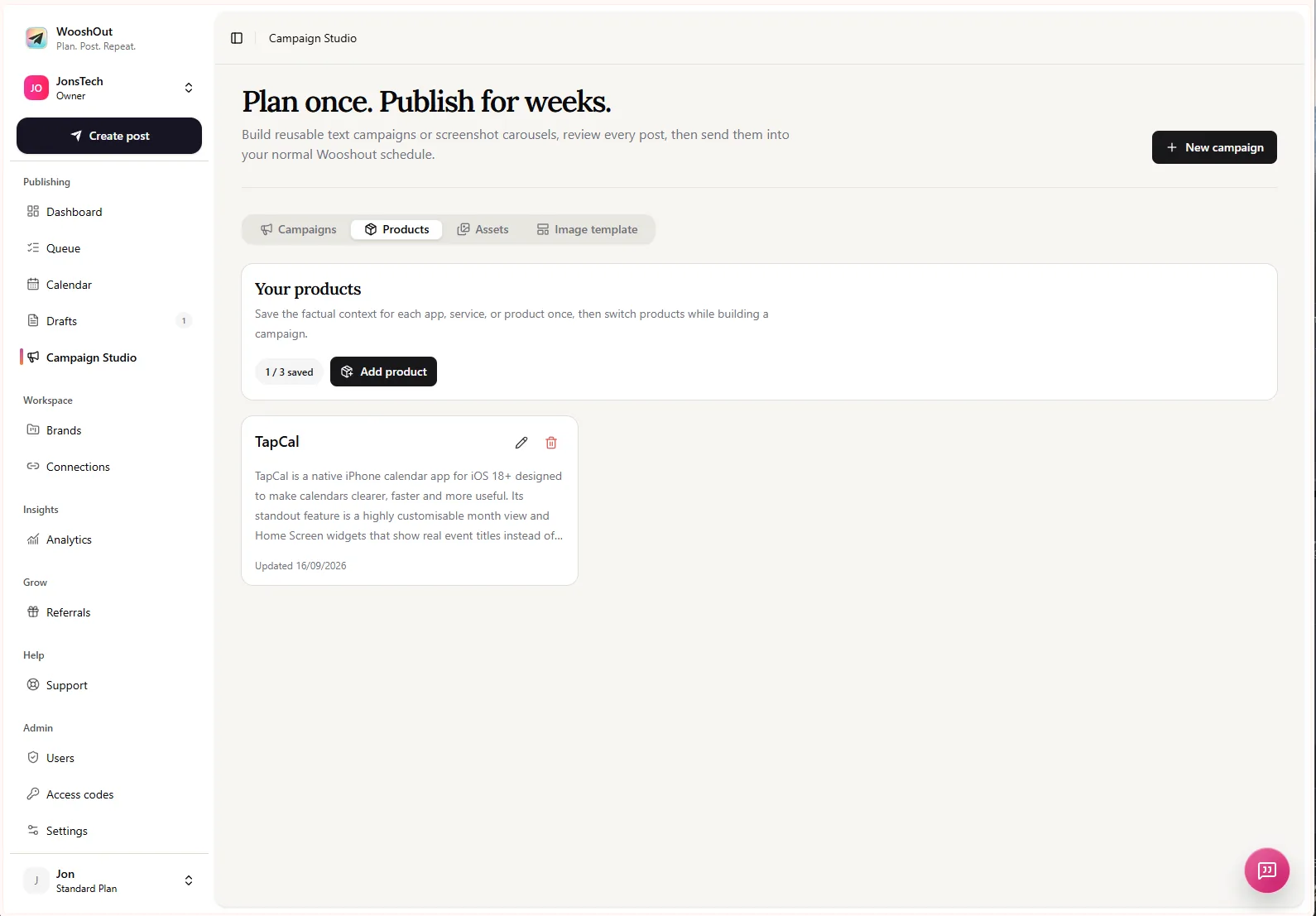
In Campaign Studio, give the campaign a clear brief: describe the product, the intended audience and the specific problem or launch angle. For an image campaign, choose from screenshots you have uploaded to the reusable asset library. The tool can produce editable starting points, but it cannot know whether your market assumptions are sound or whether a particular phrase fits your brand.
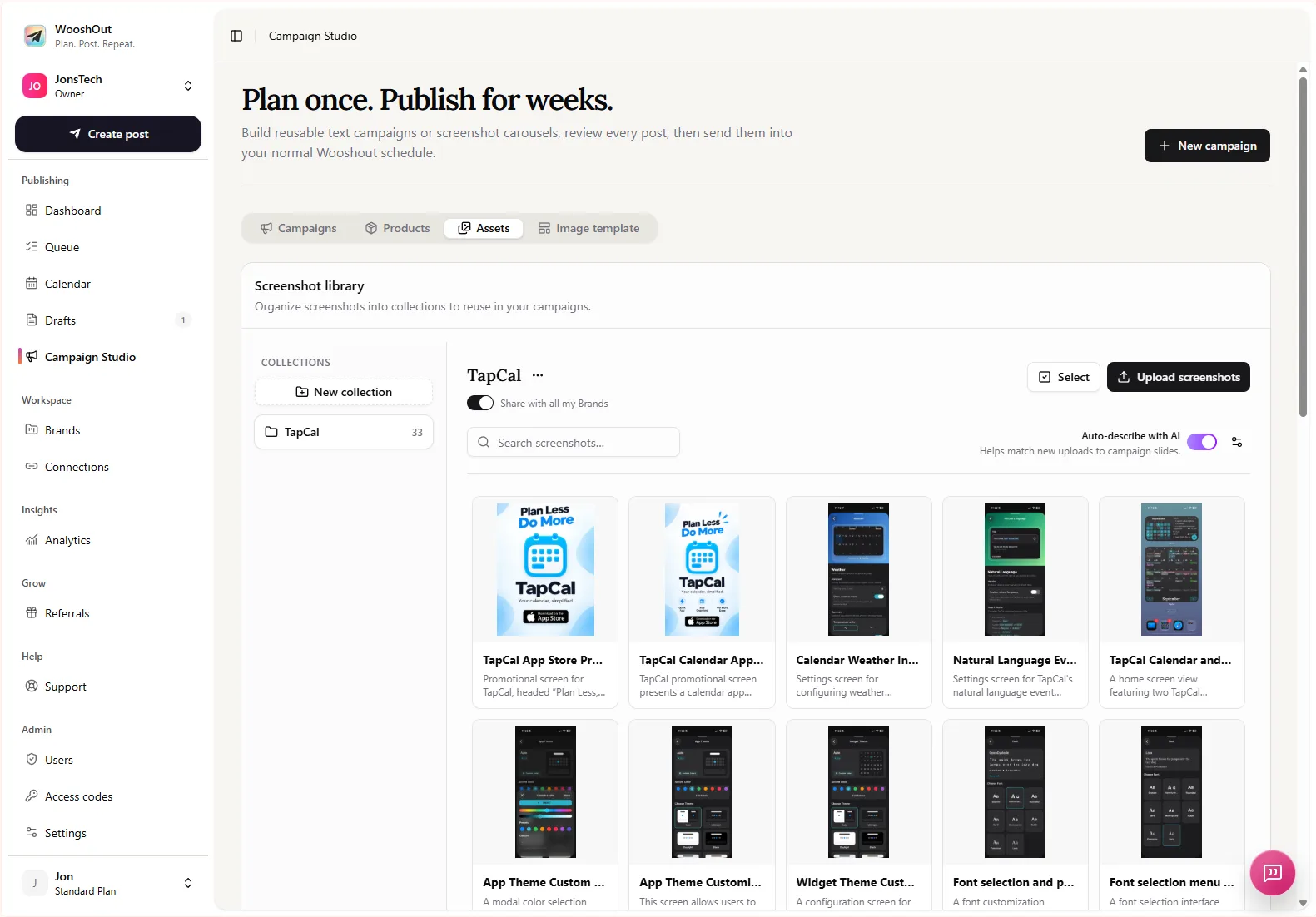
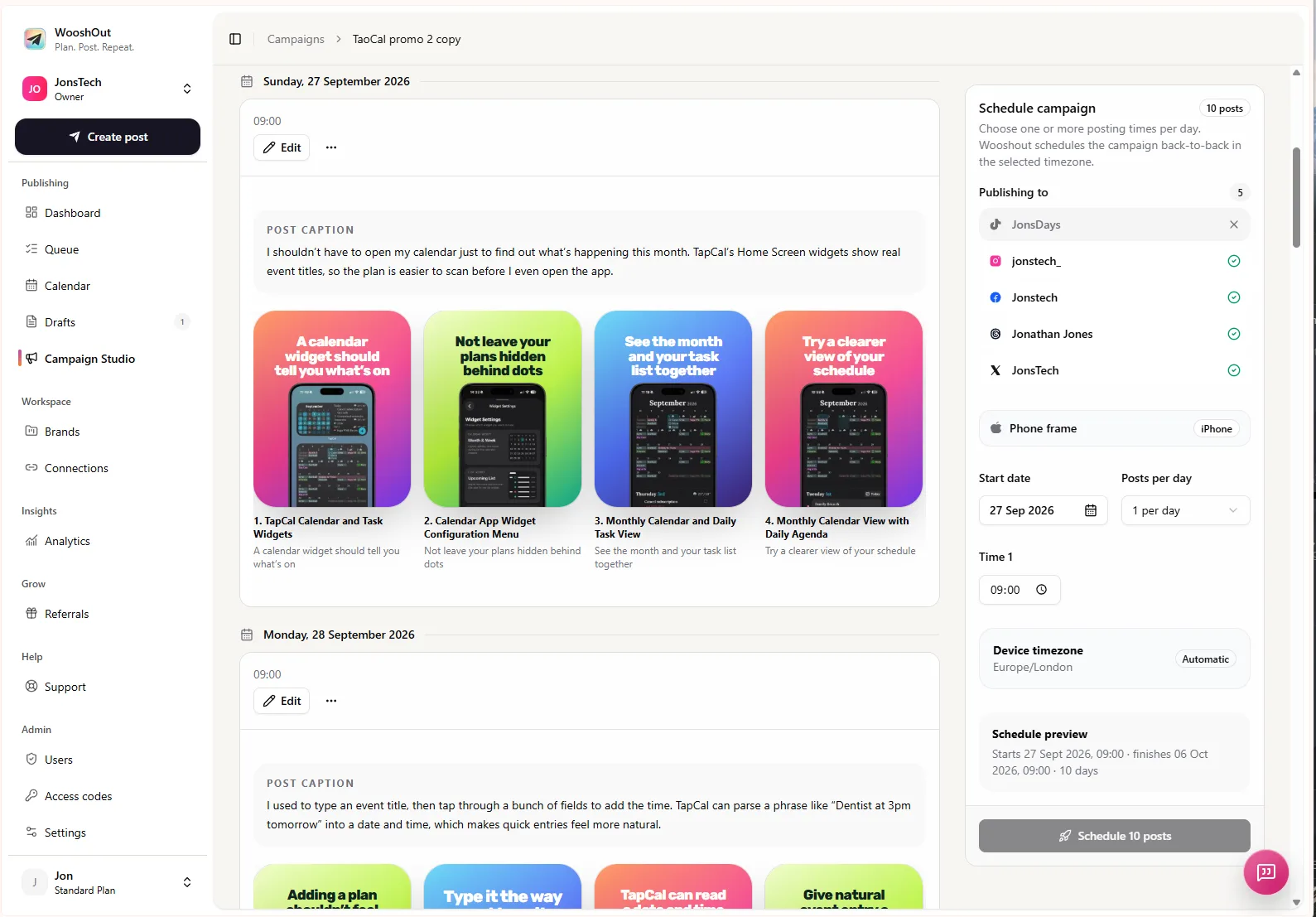
Read every post as if you were seeing it for the first time. Check that it is accurate, understandable without hidden context and distinct from the other posts in the batch. Edit repetitive hooks, unsupported claims and generic calls to action. For screenshot carousels, check that the screen shown really supports the caption and that slide text remains readable.
Also check the destinations. Campaign formats and account compatibility vary, so select only connected accounts that fit the content and review the available options in the current Campaign Studio interface. WooshOut’s checks can flag compatibility or connection issues, but they are not a substitute for checking the message, media and settings yourself.
5. Schedule a rhythm you can support
Once the drafts are approved, choose a start date, posting times and timezone in the campaign scheduler, then review the schedule before confirming. A launch sequence might introduce the problem first, demonstrate a useful feature next and address a common question later. Leave room between posts for replies, product changes or feedback that gives you a reason to adjust the plan.
Campaign posts join the normal publishing workflow, where the calendar shows planned work and the queue provides a closer view of publishing status. A destination can have a different outcome from another destination, so check the results after posts are due rather than assuming the whole batch succeeded because one account published. See the publishing workflow for more on account checks, scheduling and separate destination results.
6. Learn from the first response, not just the reach
After publication, look at the questions people ask, which examples prompt useful discussion and where readers stop engaging. Provider-reported analytics can help you review available results across connected accounts, but those metrics are cached and differ by network. They are not live counters, and they do not by themselves explain why a post performed as it did.
Use what you learn to shape the next batch: clarify a confusing phrase, test a different product example or answer a question that came up repeatedly. Keep the original hypothesis visible so you can distinguish what you knew beforehand from what the campaign actually taught you. A new-market launch is a starting point for learning, not a promise of a particular audience or result.