

Published 3 November 2026 · By JonsTech
How to Build a SaaS Social Media Campaign Around Customer Problems
Build a SaaS social campaign that starts with your audience’s recurring problems, not a run of feature announcements. Includes a hypothetical example and a practical Campaign Studio workflow.
A useful SaaS social campaign starts with a problem your audience recognises, not a list of features you want to promote. Choose a specific audience, name the problems they run into, and make each post useful on its own. Then bring in your product where it genuinely helps explain a solution. WooshOut’s Campaign Studio can turn a product description, audience and campaign brief into editable text-post drafts for Facebook, Threads and X. Review and edit those drafts before scheduling; AI output is a starting point, not a finished campaign.
Start with one audience, not “everyone”
“People who might use our SaaS” is too broad to guide a useful post. Narrow the audience by role and situation: for example, freelance consultants who book client calls, indie founders preparing a launch, or small teams trying to keep track of customer requests. The more clearly you picture the reader’s day, the easier it is to choose problems they will recognise.
Be specific without pretending to know more than you do. Use recurring questions from support conversations, onboarding, product feedback or your own observations. Avoid presenting an unverified hunch as a customer fact. If you are still testing an audience or problem, frame the post as a useful question or explanation rather than claiming everyone faces it.
Turn recurring problems into post ideas
For each problem, ask: what could the reader learn or try even if they never buy our product? That answer is your educational angle. A product feature may help illustrate the idea, but it should not be the only reason the post exists.
Here is a hypothetical example. Imagine a SaaS product that helps freelance consultants manage appointment bookings. Its audience is independent consultants who arrange calls with prospective and current clients. Three possible recurring problems might be:
Clients and consultants spend too long finding a time that suits both. Helpful angle: suggest asking for a few suitable windows or agreeing on a clear booking process.
A confirmed meeting is easy to overlook when details are scattered across messages. Helpful angle: explain what information to include in a confirmation and where to keep it.
A consultant’s availability changes, but old booking options may still be circulating. Helpful angle: recommend reviewing availability and sharing one current route to book.
These are sample campaign prompts, not claims about real customers. A founder should replace them with problems supported by their own research and product context. The aim is to earn attention through clarity and usefulness, not to imply that a hypothetical situation is a proven customer story.
Mix education with product context
A problem-led campaign does not need to hide the product. It simply gives readers more than repeated announcements. Alternate practical advice, a brief explanation of why a problem occurs, a checklist or example, and a product-focused post that shows how your tool fits into the solution. Keep the connection honest: if the product helps with booking availability, do not suggest it also solves every part of client communication.
For the hypothetical booking SaaS, sample draft posts might look like this:
Education: “Still arranging every client call by email? Offer two or three time windows and ask the other person to choose one. A small bit of structure can make the back-and-forth easier to manage.”
Practical tip: “Before you send a meeting confirmation, check that it includes the time zone, call details and a simple way to ask for a change.”
Product context: “If clients need to check your availability before booking, a scheduling page can give them one current place to start. Our hypothetical booking app is designed to help consultants share those available times.”
Reflection: “When a client asks to reschedule, what is the hardest part: finding another time, updating the invite, or keeping the conversation in one place?”
Treat these as starting points. Check that every tip is sound for your audience, that any product claim matches what the product actually does, and that the voice sounds like your company. Edit or discard anything that feels generic, overconfident or out of step with your experience.
Brief Campaign Studio with useful context
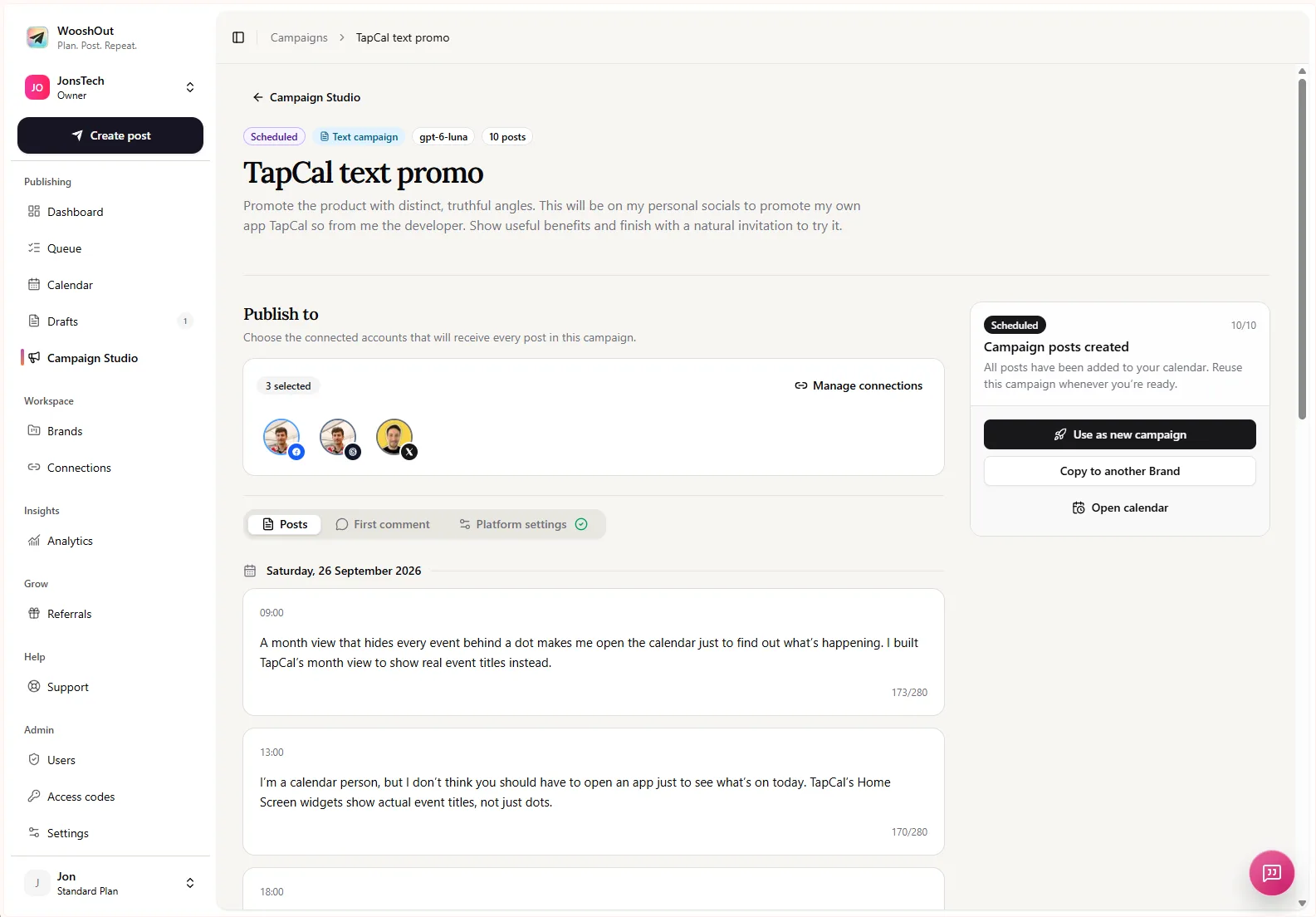
In Campaign Studio, give the tool three distinct pieces of context. First, describe the product plainly: who it is for, what it helps them do and any boundaries that matter. Second, define the audience. Third, write a campaign brief that sets the angle, the problems to cover and the balance between education and product context.
For the hypothetical booking SaaS, a brief might say: “Create an educational campaign for freelance consultants who arrange client calls. Cover the friction of finding a suitable time, keeping meeting details clear and maintaining current availability. Mix practical advice with occasional, accurate references to the booking product. Avoid unsupported results, invented customer stories and sales-heavy language.”
That brief gives the generator a direction without asking it to make up evidence. If you have verified product details or approved language, include them. If a capability is still being tested or does not exist, leave it out. A precise brief helps set boundaries; it does not guarantee that every generated draft will follow them perfectly. Campaign Studio’s current text-campaign destinations are Facebook, Threads and X. You choose the actual connected accounts after reviewing the campaign. See the Campaign Studio features for an overview.
Review every draft before you schedule
Read the generated posts one by one. Check that the problem is understandable without insider knowledge, the advice is genuinely useful, and the product reference is relevant rather than bolted on. Remove repeated ideas and look for unsupported claims, made-up customer details or promises about outcomes. Adjust wording that sounds unlike your brand.
Then check the campaign as a sequence. Does it return to the same problem too often? Are product mentions crowding out educational posts? Would a new reader understand what your product does and who it is for? Edit captions, delete weak drafts and make sure each post works independently, since people may encounter them in a different order.
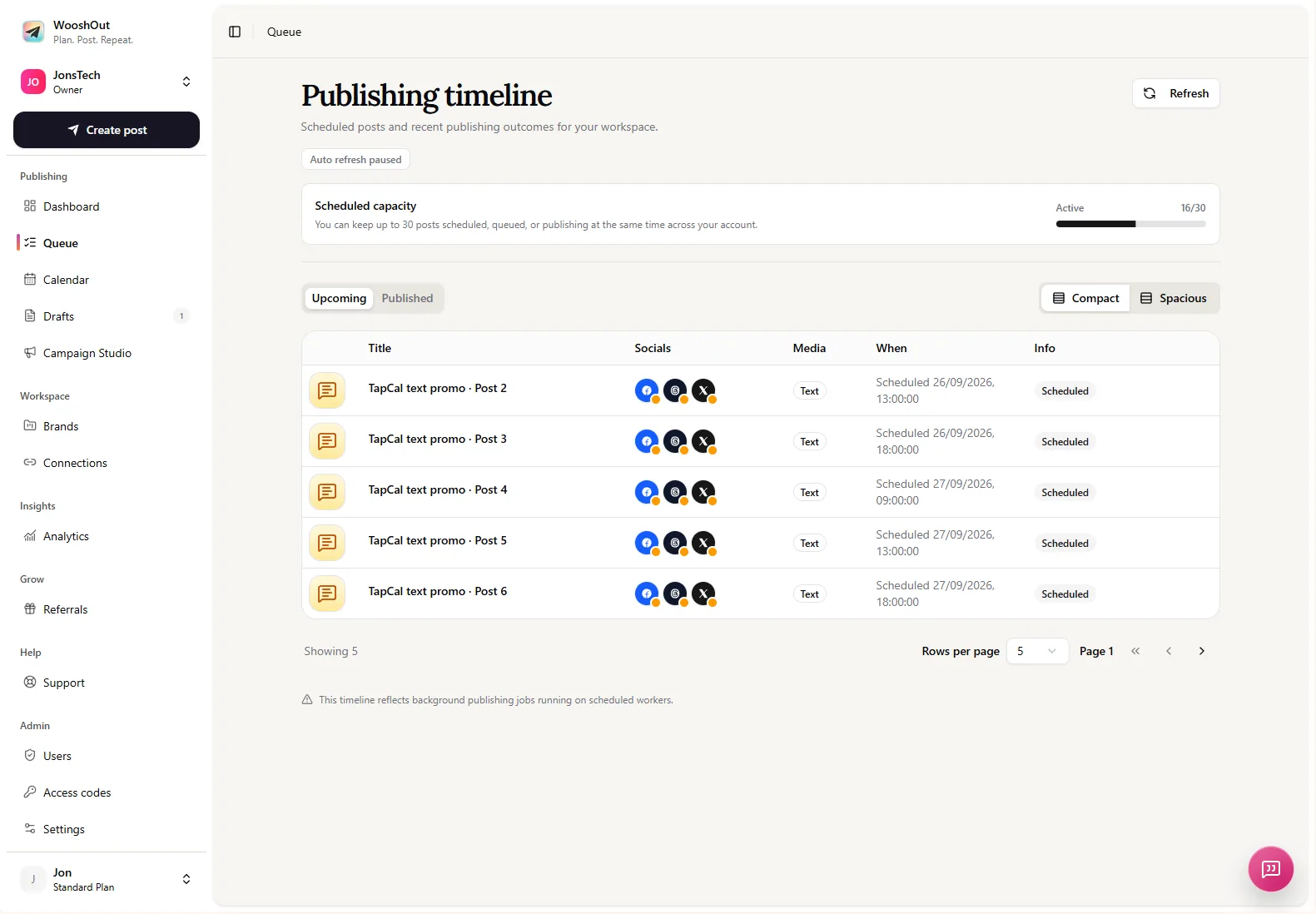
Only after review should you choose the connected destinations and schedule the approved posts. WooshOut places scheduled campaign content in its normal calendar and publishing queue. Those views help you follow upcoming work; they do not replace checking that each post is appropriate for its destination.
Make the next campaign more specific
After publishing, use what you learn to improve the next brief. Note which problems prompted useful replies or questions, which explanations people seemed to find clear, and where product context felt natural. Treat these observations as clues, not proof that one topic caused a particular result. WooshOut analytics show provider-reported metrics on a cached schedule, so they are not real-time counters and the available data can differ by network.
The practical method is simple: choose a real audience, list problems you can speak to credibly, give each post a useful point, and bring in the product only where it adds context. For the steps involved in preparing, checking and scheduling posts, see the WooshOut publishing workflow.