

Published 30 October 2026 · By JonsTech
Which Social Media Metrics Should You Track for a SaaS Launch?
A practical guide for SaaS founders to separate posting activity from audience attention, review social results by platform, and choose what to test next without mistaking attention for sign-ups.
For a SaaS launch, track two different things: what you published and how people responded to it. Posts published tells you whether the plan happened; views, reach and interactions, where a network reports them, offer clues about attention. Neither proves that social content drove sign-ups. WooshOut can help you review provider-reported post results, but it does not measure or attribute website visits, trials or new customers.
That distinction keeps launch reporting useful. Instead of chasing one impressive total, ask: which post, on which platform, earned attention, and what might that suggest for the next post?
Separate activity from attention
Activity metrics describe your publishing effort: posts prepared, posts published and the platforms they went to. These are useful checks on execution. If you planned a launch demo and a founder introduction but only one went live, that is a publishing gap, not evidence that the missing idea would have performed poorly.
Attention metrics describe the response reported by a social network. Depending on the platform and account, these may include views, reach, likes, comments, shares, replies or other interactions. Treat them as clues, not a universal score. A view on one network may not mean the same thing as a view on another, and the available fields differ.
WooshOut's Analytics dashboard brings available provider-reported metrics and top content into one workspace across connected TikTok, YouTube, Instagram, Facebook, Threads and X accounts. The current feature overview describes the results as provider-reported and cached, not live counters. The dashboard is useful for reviewing what the connected networks make available, but it is not a replacement for your website analytics or product sign-up records.
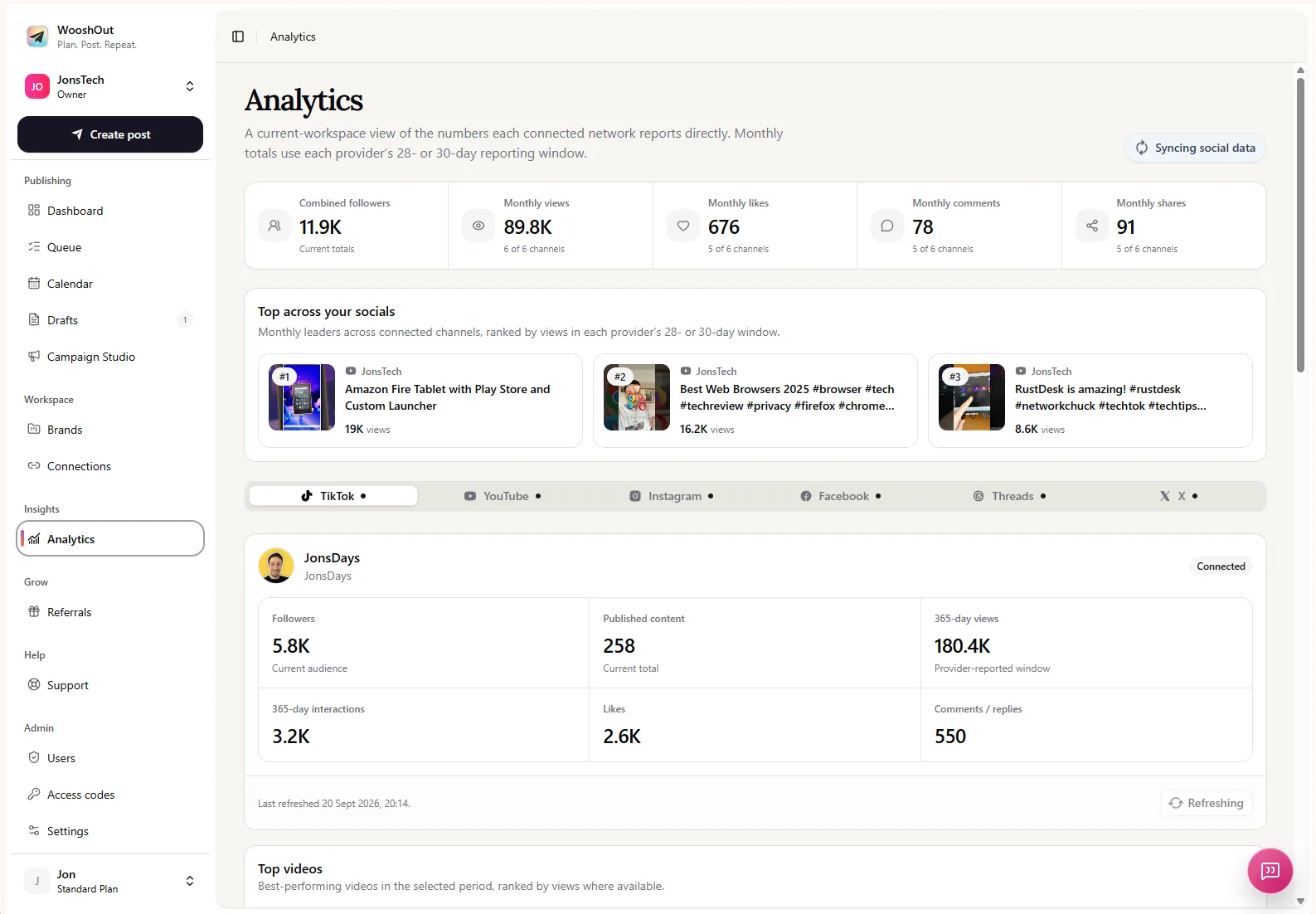
This screenshot shows the kind of summary and account-level results the Analytics page can display. It is an interface example, not a verified SaaS launch result or a performance benchmark. Don’t use sample dashboard figures as evidence of what your own launch should achieve.
Which numbers help you choose the next post?
Start with the question each metric can help answer. Views or reach can indicate whether a post found an audience on that platform. Likes and other interactions can show that some viewers chose to respond. Comments or replies may reveal questions, objections or language worth addressing in a follow-up. None of these numbers, on its own, tells you whether the post brought in a customer.
For example, suppose a launch demo gets more views than a feature announcement on one connected account, while the announcement receives more comments. That is a reason to inspect the two posts and consider what to test next. It is not proof that demos always work better, or that comments will turn into sign-ups. The result could reflect the opening line, format, timing, platform audience or other factors.
Keep comparisons like-for-like where you can: compare the same platform, a similar format and a similar window after publishing. Avoid ranking networks by raw views alone. A larger number on one platform does not automatically mean the post was more useful to your launch.
A short review routine for launch week
Check what actually went live. Note the post and each destination, including any post that failed or needs attention. Publishing activity gives context to the results that follow.
Review the available results by post and platform. Record the metric, the network and the date you checked it. If a provider has not supplied a field, mark it unavailable rather than treating it as zero.
Look for a useful observation, not a winner by default. Did a particular product demo, founder explanation or audience question seem to earn attention on one platform? Note the possibility and the evidence behind it.
Choose one thing to test next. You might change the opening, explain one feature more clearly or adapt the format for a destination. Keep the rest reasonably similar if you want to learn what that change may have affected.
Check business outcomes separately. Use your website or product analytics to review visits, trial starts and sign-ups. Where appropriate, use campaign tags and consistent tracking so you can investigate possible sources. Social attention and a sign-up occurring around the same time do not establish attribution by themselves.
A small record can be enough: post idea, platform, format, publish date, available attention metrics, and the next variation you want to try. Add sign-up results in a separate reporting view if you have reliable attribution. Keeping the two records distinct makes it harder to confuse a busy publishing schedule with business impact.
Remember that analytics arrive on different schedules
WooshOut’s Analytics dashboard uses cached data from connected networks. Fields and availability differ between providers, and refreshes do not happen as live counters. The public product information confirms that refreshes are cached but does not publish a single refresh interval for every network. Check the dashboard’s sync information before deciding that a post has received no response; a missing or delayed figure is not necessarily a zero.
This matters during launch week, when it is tempting to make a quick call from an early snapshot. Give results time to appear, compare like with like, and record when you checked. If a network reports different metrics from another, don’t force them into a single cross-platform score.
Turn the review into a better next post
The most practical launch metric is often the one that helps you make a specific next decision. If people are viewing a demo but asking the same setup question, make the next post answer it. If one platform’s audience responds to a short walkthrough while another’s responds to a concise text explanation, adapt the presentation rather than assuming identical copy suits both.
WooshOut lets you prepare a post in one composer, choose compatible destinations, adjust captions and supported settings for each platform, then review the separate outcomes. Its analytics can help you see provider-reported attention alongside that publishing history; sign-ups and sales still need to be measured in your own business tools. For a closer look at the workflow and analytics features, visit the WooshOut features overview.